Studio monitors are not speakers you use to enjoy music. They're tools designed to show you what's in your audio with as little coloration as possible. The goal is to hear problems before they become permanent decisions. Getting this right makes every other part of the production process more reliable.
What You're Actually Looking For
Before getting into specific recommendations, it's worth understanding what separates a studio monitor from a consumer speaker – and what separates a good studio monitor from an adequate one.
Consumer speakers are typically voiced to sound pleasing. They boost bass, they brighten highs, they create an impression of width and space that makes music enjoyable to listen to. This is great for listening. It's the opposite of what you want when mixing, because those built-in enhancements mask problems you need to hear. A mix that sounds good on colored speakers often sounds thin, harsh, or imbalanced on neutral playback systems.
Studio monitors are designed to be flat – meaning they reproduce frequencies without adding or subtracting much from the source signal. In practice, no monitor is perfectly flat, and the acoustics of your room will introduce significant coloration regardless of how neutral the speaker is. But a well-designed near-field monitor in a treated (or at least carefully managed) room gives you a reliable reference point that transfers to other playback systems.
What you're looking for: honest low-mid and mid-range reproduction, a high end that's detailed without being harsh, and a low end that's controlled and accurate rather than hyped. Driver quality, crossover design, amplifier matching, and cabinet resonance all affect this.
Under $200 Per Pair: Getting Started Without Compromising Everything
This range is difficult because it's where the gap between marketing promises and actual performance is widest. Several monitors in this range are aggressively marketed to producers and deliver sound quality that's barely better than consumer speakers dressed in a studio aesthetic. The ones worth considering are specific.
Yamaha HS5 – arguably the most reliable recommendation at this price tier and consistently cited as a benchmark entry-level monitor for good reasons. The HS5 is voiced with a deliberately forward, somewhat lean midrange that forces you to address problems in your mix rather than masking them. The low end rolls off below 54Hz, which is honest about what a 5-inch driver can do rather than exaggerating it. Producers who mix on HS5s and then translate to other systems tend to get reliable results because the monitor doesn't flatter anything. The flat sound is not enjoyable – that's the point.
PreSonus Eris E3.5 – for producers who genuinely cannot spend more right now, the Eris E3.5 at around $100 per pair is the most honest value at the lowest price tier. It has real acoustic shortcomings (the low end is limited, the stereo image is narrower than more expensive options) but it is more accurate than consumer bookshelf speakers at the same price, and it gives you a workable starting reference. Think of it as a transitional tool while you save for something better.
What to watch out for: Avoid monitors in this range from generic brands making vague claims about "flat response" and "studio quality." M-Audio, Alesis, and several white-label manufacturers produce budget options that are competitive with consumer speakers but not genuinely better references for mixing work.
$200–$500 Per Pair: Where Real Work Becomes Possible
This is the range where the quality jump per dollar spent is most dramatic. Monitors in this tier are the workhorses of independent home studios globally, and several have held their positions as recommended references for a decade or more.
Yamaha HS7 – the larger sibling of the HS5, with a 6.5-inch woofer and meaningful extension into the sub-bass region. At around $400 per pair, the HS7 gives you a more complete picture of your low end than the HS5 without inflating it. The same honest, analytical voicing applies. For producers working in genres where low-frequency content matters – hip-hop, electronic, R&B – the HS7 is a significant step up from the HS5 in practical utility.
KRK Rokit 5 G4 – a common alternative to the Yamaha line with a different flavor. The Rokits have historically been criticized for a slightly hyped low end, which makes them enjoyable to work on but less reliable as a mix reference. The G4 generation addressed this to a meaningful degree with a DSP-based EQ system that lets you compensate for room-induced coloration. If you're aware of the mild low-end tendency and account for it, the Rokits are solid. If you just use them as-is without room calibration, you may be mixing with a skewed picture of your bass. The DSP system in the G4 is worth using.
Adam Audio T5V – the Adam T series has built a strong reputation in the independent producer community for ribbon tweeter design at accessible price points. The T5V uses a ribbon-based high-frequency driver (the A-ART tweeter, a variation on Adam's flagship ribbon technology) that produces a consistently smooth, detailed high end without harshness. The result is a monitor that handles vocal clarity and hi-hat texture exceptionally well. Low end is honest within the limits of the 5-inch driver. For producers who work heavily with vocal production and detailed high-frequency content, the T5V's tweeter is genuinely distinctive at this price.
Focal Alpha 50 Evo – at the top of this range (~$450–$500 per pair), the Focal Alpha 50 Evo is one of the best values in near-field monitoring at any price. Focal brings actual acoustics engineering from their high-end speaker design to the Alpha line. The result is a monitor with a more three-dimensional stereo image, a more natural low-mid transition, and a sense of detail that typically costs significantly more. It punches well above its price point.
$500–$1,200 Per Pair: The Professional Home Studio Range
At this tier, you're getting into monitors that professional engineers use in secondary listening positions and that form the backbone of serious independent studio setups. The performance gains are real, but they're also more sensitive to room acoustics – a $1,000 monitor in an untreated room will often tell you less than a $400 monitor in a properly treated one.
Genelec 8020D – Genelec's position in professional monitoring is essentially unrivaled. The Finnish manufacturer produces monitors that appear in mastering studios, broadcast facilities, and professional recording environments worldwide. The 8020D is their smallest and most accessible model, and even at this entry point to the brand, the quality of the cabinet construction, driver matching, and SAM (Smart Active Monitoring) room correction system is apparent. The 8020D is remarkably accurate for its size, though the low end naturally has limits that the larger Genelec models address. For a reference-grade near-field experience at a more accessible price than the full Genelec lineup, this is the entry point.
Neumann KH 80 DSP – the Neumann KH 80 is, by near-universal professional consensus, the standard against which other near-field monitors in its class are measured. Neumann (a Sennheiser company with a long history in microphone manufacturing) collaborated with Danish acoustics researchers to design a monitor with extremely low distortion, exceptional time-domain accuracy, and a DSP correction system capable of compensating for specific room conditions. At around $800–$900 per pair, it's the most direct path to a truly professional reference in a home studio environment. Producers who make the jump to the KH 80 frequently describe a significant improvement in mix translation – their work holds up on other systems much more reliably. It is not a warm or flattering monitor. It is an honest one.
Focal Alpha 65 Evo – the larger Alpha Evo model extends the impressive performance of the Alpha 50 Evo into the mid-range with a 6.5-inch woofer and better low-frequency extension. At around $700–$800 per pair, it represents a meaningful upgrade over the Alpha 50 Evo for producers who need a more complete picture of bass-heavy material.
Adam Audio SC207 – Adam's professional series sits above their entry T-line and delivers the ribbon tweeter performance of the T-line with significantly better low-midrange resolution and a wider, more accurate stereo image. The SC207 is a reference-quality monitor that rewards time spent learning its characteristics.
The Room Matters More Than You Think
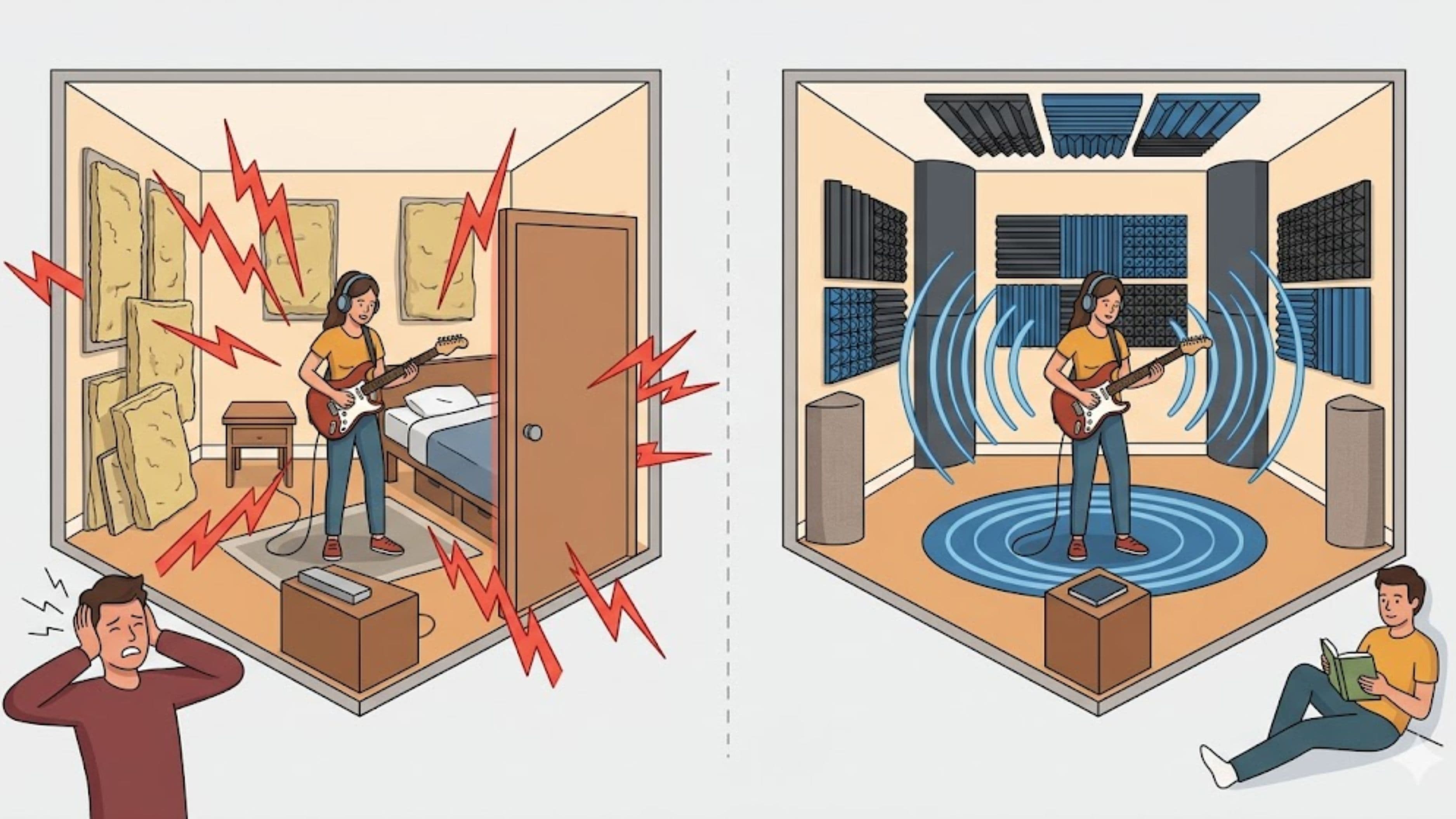
This point deserves its own section because it affects every buying decision in this category. A $1,000 monitor in an acoustically untreated bedroom with parallel walls, hard floors, and no absorption will give you a worse mix reference than a $300 monitor in a properly treated room. The room coloration – bass buildup in corners, comb filtering from reflections, flutter echo between parallel surfaces – is often more significant than the monitor's own character.
Before investing heavily in monitors, invest in at minimum: bass traps in corners, absorption panels at the first reflection points (the spots on the side walls where a mirror would reflect the monitor to your ears while you sit at the mix position), and a diffuser or absorber on the back wall. This doesn't require an expensive professional treatment – there are effective DIY approaches using rockwool or rigid fiberglass panels that can dramatically improve a room's acoustic behavior for a few hundred dollars in materials.
At the software level, room correction tools like Sonarworks SoundID Reference (around $99–$249 depending on configuration) measure your room and monitor response together and apply correction through a calibration plugin. This doesn't replace acoustic treatment – correction has limits and can introduce other artifacts – but it meaningfully improves the reliability of a mix reference in a non-ideal room.
Headphones as a Companion Reference
No section on monitoring for independent producers is complete without addressing headphones, because the reality for many independent producers is that headphones are part of their workflow by necessity – whether for late-night work in shared living situations or for mobility.
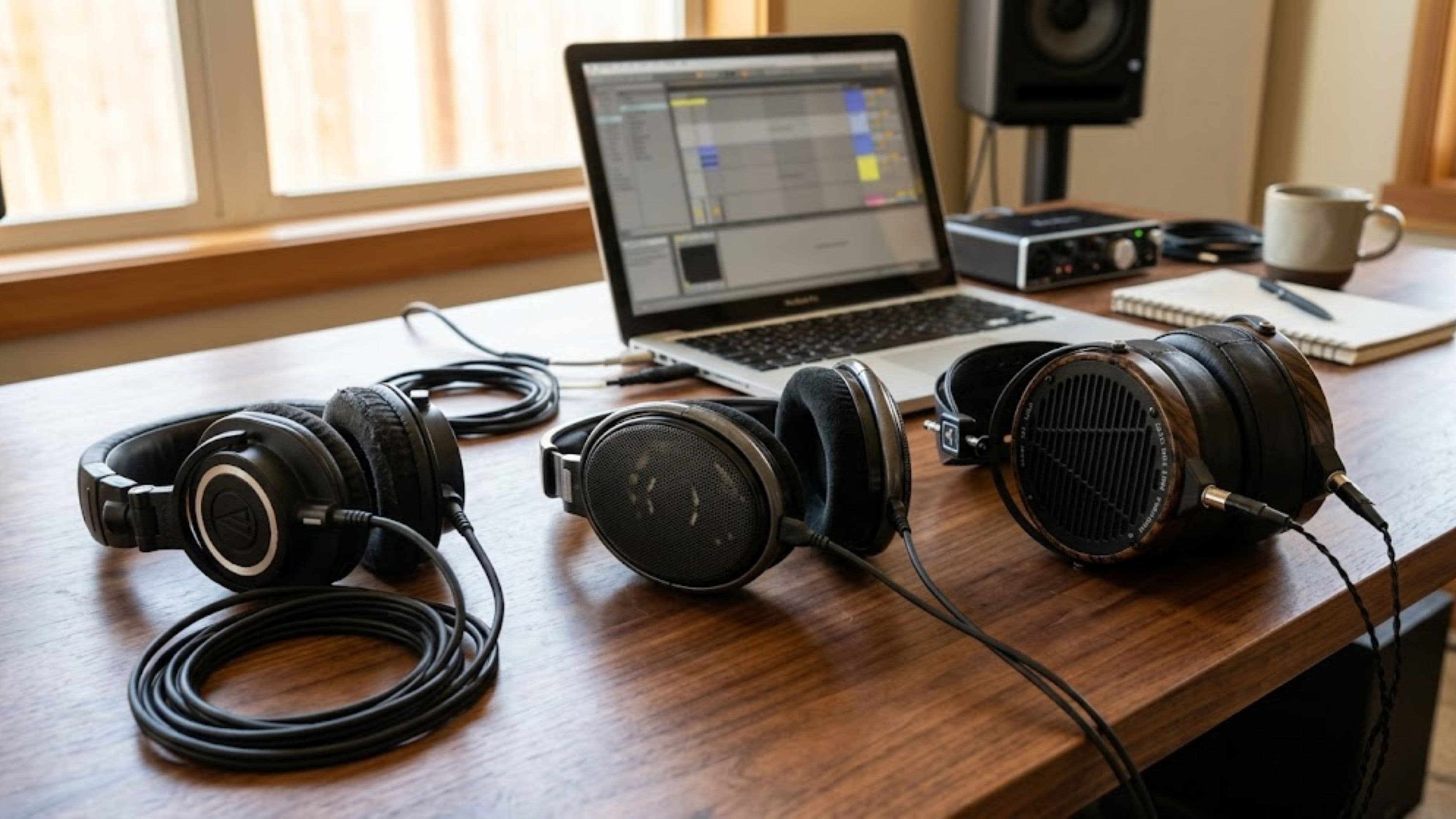
The important clarification: headphones and monitors give you different information. Headphones are excellent for detail work – identifying mouth noise on a vocal, checking a transient's precise shape, hearing reverb tails clearly. They're less reliable for stereo placement and low-frequency balance because the stereo image in headphones exists inside your head rather than in space. Good studio headphones (the Beyerdynamic DT 770 or DT 990, the Sony MDR-7506, the Sennheiser HD 650 in the higher tier) complement monitors rather than replacing them.
Sonarworks and similar tools also offer headphone correction profiles for specific models, which can significantly improve mix reliability when using headphones in a studio context.
What to Watch Out For
Room correction software doesn't replace acoustic treatment. It's a complement. Heavy correction at problem frequencies introduces phase issues that can create new problems. Fix the room first, correct at the margins with software.
Woofer size and low-frequency extension aren't always correlated with accuracy. A 5-inch monitor with honest, accurate low-end reproduction is more useful for mixing than an 8-inch monitor with hyped or resonant bass. When evaluating monitors, check frequency response curves from reliable third-party measurements (Erin's Audio Corner and other independent measurement resources) rather than relying on manufacturer specifications alone.
Demo before buying if you have the option. Monitors that sound impressive in a store demo (which is often a treated listening environment) may perform differently in your actual workspace. Many music retailers allow returns within a window, and online retailers like Sweetwater are known for allowing exchanges when a purchase doesn't work in a customer's room.
Avoid "nearfield monitors" marketed primarily on look. Several brands have capitalized on the aesthetic of classic studio monitors (particularly the Yamaha NS10 look) and produced products that are more decor than tools. Buy on measured performance and community feedback, not visual appeal.
Frequently Asked Questions
Do I need a subwoofer with near-field monitors? For most producers at the independent level, a properly sized monitor (7-inch or 8-inch woofer) in a treated room provides adequate low-frequency information. A subwoofer adds complexity to your monitoring chain and requires its own calibration. It's generally better to upgrade to a larger primary monitor than to add a subwoofer to a smaller one.
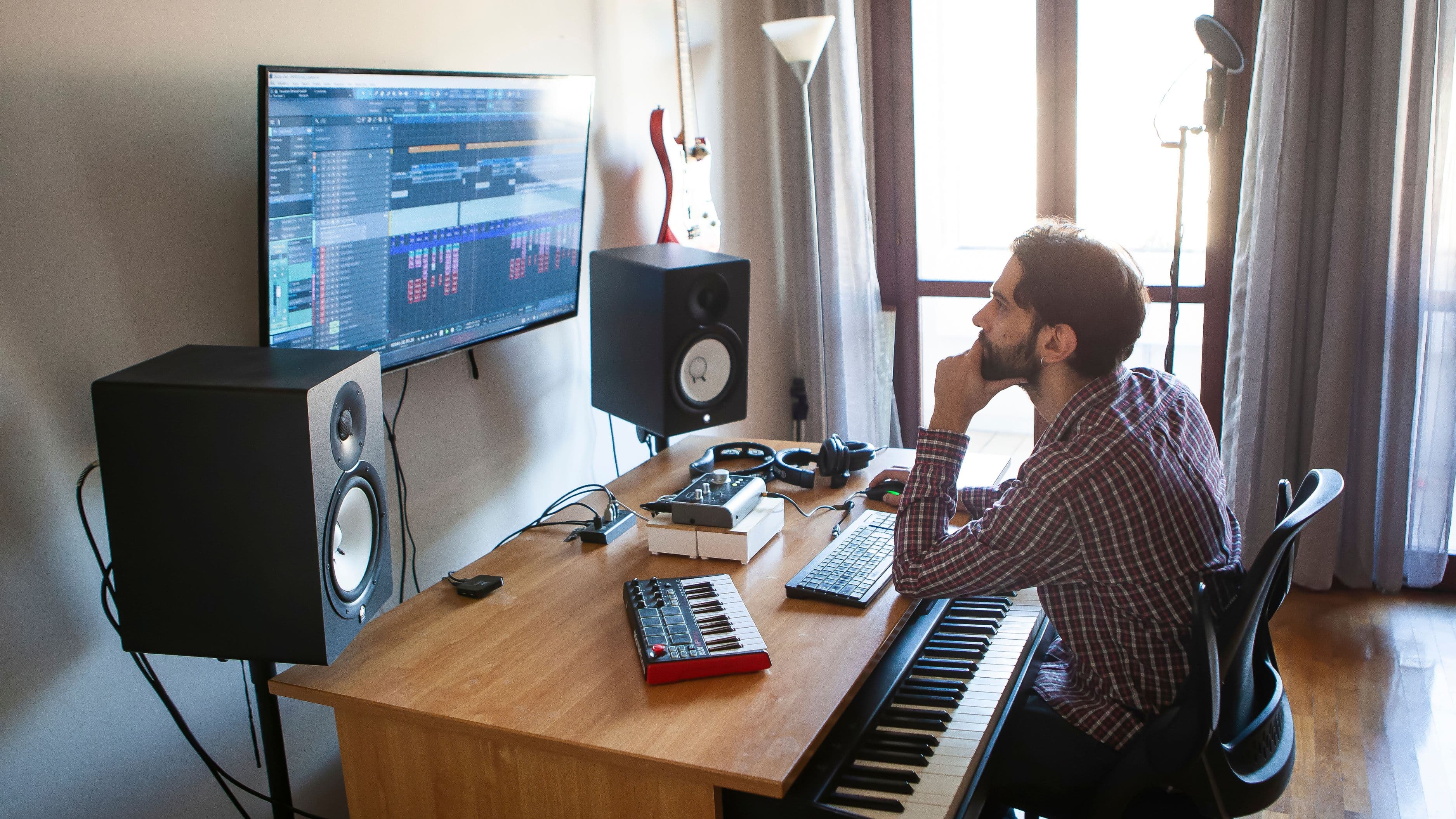
How far should I sit from my studio monitors? Near-field monitors are designed for listening at close range – typically 3 to 5 feet from each speaker. This reduces the room's influence on the sound by keeping you closer to the direct sound from the speaker than to reflected sound from the walls. An equilateral triangle between each monitor and your listening position is the standard configuration.
Should I buy monitors with built-in room correction? Monitors with DSP room correction (the KRK Rokit G4 series, the Genelec SAM monitors, the Neumann KH 80) are valuable because they allow you to compensate for some of your room's acoustic character at the monitor level. They're particularly useful in difficult rooms. The correction isn't a replacement for treatment but it meaningfully improves performance in real-world studio conditions.
Is it worth buying used studio monitors? Used monitors can be good value, particularly from established brands like Yamaha, Adam, Focal, and Genelec where the build quality is durable. Check for driver damage (tears, dents, surround deterioration) and amplifier function (both channels should be equal in level and clarity). Avoid used monitors from budget brands where the electronics may have accumulated wear.
How do I know if my mix is translating well? The A/B test across multiple playback systems is the most reliable method. After finishing a rough mix, check it on consumer earbuds, a phone speaker, a car stereo, and a Bluetooth speaker alongside your monitors. The places where the mix sounds different on those systems are the areas where your monitor is misleading you or where your room is coloring your perception. Good translation means the mix holds its balance and character across most playback systems.
📚 Sources
Yamaha – HS Series Monitor Technical Specifications: https://usa.yamaha.com/products/proaudio/speakers/hs_series/index.html
Neumann – KH 80 DSP Monitor Technical Overview: https://www.neumann.com/en-us/products/monitors/kh-80-dsp
Adam Audio – T5V Monitor Specifications and Technology: https://www.adam-audio.com/en/t-series/t5v
Focal – Alpha Evo Series Monitor Overview: https://www.focal.com/en/professional-audio/monitoring/alpha-evo
Genelec – 8020D Monitor Technical Documentation: https://www.genelec.com/8020d
Sonarworks – SoundID Reference Room and Headphone Correction: https://www.sonarworks.com/soundid-reference
MusicRadar – Studio Monitor Buying Guide: https://www.musicradar.com/buying-advice/best-studio-monitors