What Podcast Hosting Actually Is
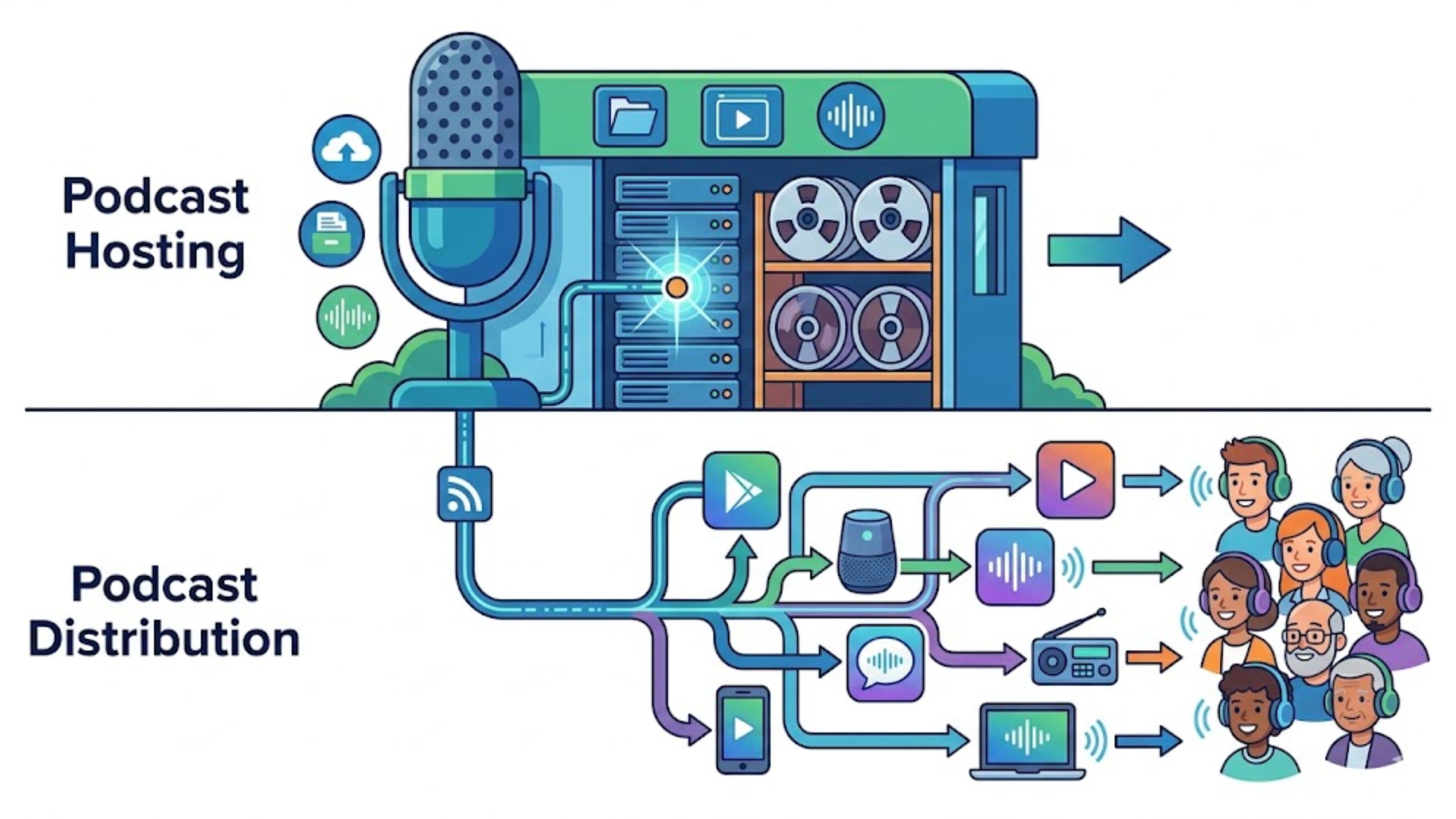
When you record an episode, you have an audio file sitting on your computer. That file needs to live somewhere accessible on the internet so that apps like Spotify, Apple Podcasts, and Overcast can find it and play it for people. That's what a podcast host does – it stores your audio files and serves them to whoever requests them.
More specifically, a podcast host provides your RSS feed. RSS (Really Simple Syndication) is a standardized format that packages your podcast's information – episode titles, descriptions, artwork, and links to the audio files – into a single feed that other platforms can read and import. Every legitimate podcast has one RSS feed, and it originates from the hosting platform. When you publish an episode, the hosting platform updates the RSS feed, and everything downstream reads from that updated feed.
Hosting platforms also provide the infrastructure that keeps your audio loading quickly and reliably even when many people are downloading or streaming at the same time. They handle storage, bandwidth, and delivery – the plumbing that you don't think about until it breaks. Most hosting platforms also offer analytics: play counts, listener demographics, listening duration, and device breakdowns. That data comes from the host because it's the host that's serving the files.
Popular hosting platforms include Buzzsprout, Transistor, Captivate, Podbean, Simplecast, and Acast. Spotify for Podcasters (which absorbed Anchor) is also a hosting platform, though with some important distinctions about distribution that are worth understanding separately.
What Podcast Distribution Actually Is
Distribution is the process of getting your podcast onto the platforms where people actually listen – Spotify, Apple Podcasts, Google Podcasts (now folded into YouTube Music), Amazon Music, Pocket Casts, Overcast, and the rest. Distribution takes the RSS feed that your host generates and submits it to those platforms so they can import your episodes automatically.
The key thing to understand is that distribution is largely a one-time setup process, not an ongoing service. You submit your RSS feed to each platform once, the platform validates and imports it, and from that point forward the platform checks your feed on a schedule and picks up new episodes automatically. You don't have to manually submit every new episode to every platform – that happens through the RSS feed.
Some hosting platforms handle distribution for you as part of their service, automatically submitting your feed to a list of major platforms when you launch your show. Others require you to submit your RSS feed to each platform manually. Either way, the actual ongoing mechanism is the same: your host updates the RSS feed when you publish, and the listening platforms read it.
The platforms themselves – Spotify, Apple, Amazon – are the distributors in the final sense. They're the ones with the audiences. The distribution step is just connecting your show to those platforms for the first time.
Where the Confusion Comes From
The confusion happens for a few reasons. First, many hosting platforms market themselves as offering "distribution" as a feature, which implies it's something separate they're adding – when in reality they're either automating a feed submission process for you or providing the RSS feed that enables distribution in the first place. Second, Spotify for Podcasters muddies the line by being both a host and a major distribution platform simultaneously, which makes it feel like one integrated thing. Third, the word "distribution" is used in music (where it means something quite different – getting tracks onto streaming services through a distributor like DistroKid) and the overlap in vocabulary creates confusion for music creators who are crossing into podcasting.
To cut through it: your host is where your files and your RSS feed live. Distribution is the act of connecting that feed to listening platforms. Every credible hosting platform inherently enables distribution because any platform can import an RSS feed. The question is only whether your host automates the submission process for you or whether you handle it yourself.
How They Work Together in Practice
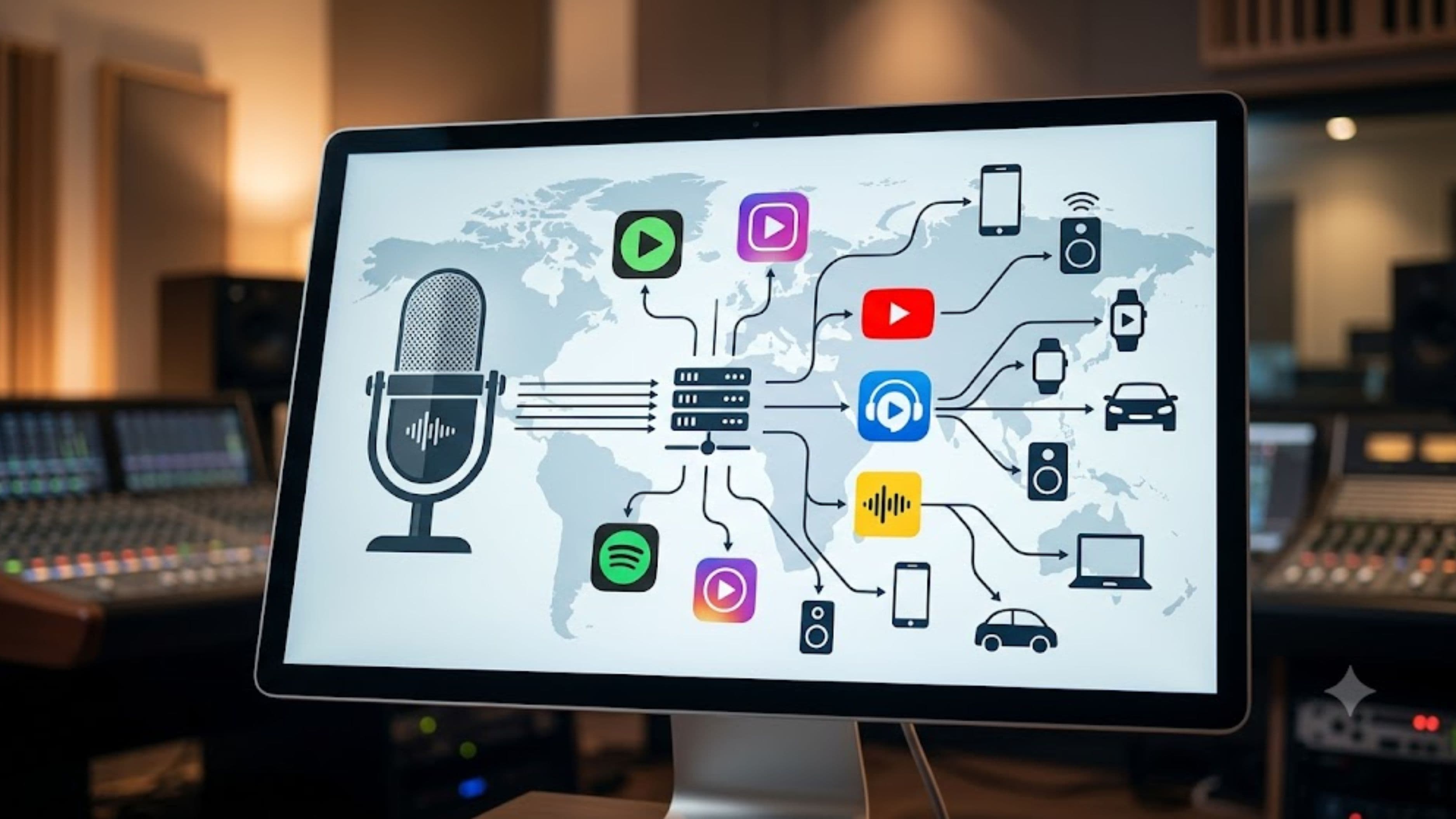
Here's the flow in plain terms. You record an episode and upload the audio file to your hosting platform. The host stores the file and updates your RSS feed with the new episode's information. Listening platforms that have already imported your feed – Spotify, Apple Podcasts, and others – check the feed periodically (usually every few hours) and see the new episode. They import it automatically and make it available to their users. Listeners open their app, see the new episode, and play it. The audio streams or downloads from your host's servers. The host records the play in your analytics.
You're not involved in any of that chain after the initial upload. The host and the RSS feed handle it. That's what makes podcasting distribution fundamentally simpler than music distribution – there's no per-release process, no approval workflow, and no platform-by-platform submission for every episode. Set it up once and it propagates automatically.
The Platforms Worth Knowing
Hosting platforms that are worth looking at:
Buzzsprout is the most recommended starting point for beginners – clean interface, strong analytics, good support, and straightforward distribution submission tools. Plans start free with limitations and scale up from around $12/month.
Transistor is built for people running multiple shows and offers strong team collaboration features and white-label options. It's priced per plan rather than per show, which makes it cost-effective if you have multiple podcasts. Starts around $19/month.
Captivate markets itself specifically at podcasters focused on growth, with built-in CTAs, dynamic content insertion, and strong listener analytics. Around $17/month for the entry tier.
Podbean has been around longer than most and offers a range of plans including a free tier with meaningful limitations. It's a reliable choice for hobbyist and early-stage podcasters.
Spotify for Podcasters (formerly Anchor) is free, which is its main appeal. The tradeoff is that it's owned and operated by Spotify, which means your show's infrastructure is tied to a platform with its own interests. It's fine for getting started, but migrating away if you want to change hosts later requires some care.
On distribution specifically:
Apple Podcasts, Spotify, and Amazon Music all accept RSS submissions directly. Apple Podcasts Connect and Spotify for Podcasters both have submission portals where you paste your RSS feed URL. Amazon Music for Podcasters and iHeart Radio have similar submission processes. YouTube now accepts podcast RSS feeds for video podcasts as well.
Most hosting platforms provide a step-by-step checklist for submitting to major platforms when you launch. Following that checklist is all the active distribution work you need to do.
What to Watch Out For
The main practical risk is platform lock-in, and it's worth thinking about before you choose a host. If you start on a hosting platform and later want to move to a different one, your RSS feed URL will change. Platforms that have imported your old feed won't automatically follow the redirect unless you've set it up correctly. Most reputable hosting platforms support 301 redirects, which tell the listening platforms to update to your new feed URL automatically – but this process only works cleanly if you follow it properly. Skipping it means losing your subscriber counts on platforms that don't follow the redirect.
This is one reason why starting with a dedicated hosting platform rather than Spotify for Podcasters is often the better long-term choice, even if it costs a few dollars a month. Dedicated hosts treat your RSS feed as something you own; platform-as-host models treat it as something that lives on their infrastructure, which makes migration more complicated.
The other thing to watch for is analytics accuracy. Different platforms report plays differently – a "download" on Apple Podcasts isn't counted the same way as a "stream" on Spotify. Your hosting platform's analytics are the most consistent measure of overall reach, since the host is serving the files regardless of which app someone is using. Don't try to reconcile platform-specific numbers into a single total; use your host's data as your primary source.
The Short Version
Your podcast host stores your files and generates your RSS feed. Distribution is the process of connecting that RSS feed to listening platforms so people can find your show. Most of distribution is a one-time setup – submit your feed, platforms import it, new episodes appear automatically. The host is the infrastructure; distribution is the connection. Choose a host you trust, submit your feed to the major platforms when you launch, and the technical side mostly runs itself from there.
FAQ
Can I use one platform for both hosting and distribution? Yes – every hosting platform handles distribution in the sense that it produces the RSS feed that enables distribution. Many also automate the submission process to major platforms. The question is just whether you want to use a platform that manages both (like Buzzsprout with its distribution tools) or submit your RSS feed to platforms manually. Either works.
Do I need to submit my podcast to every platform separately? For the major ones – Apple Podcasts, Spotify, Amazon Music, iHeart – yes, you need to submit once. After that, new episodes appear automatically through the RSS feed. Some hosting platforms streamline this by submitting on your behalf when you launch; others give you the RSS feed and let you handle submissions yourself.
What happens to my podcast if I cancel my hosting plan? Your audio files are no longer served and your RSS feed goes offline. Listening apps can't retrieve your episodes. This is why choosing a hosting platform you're comfortable staying with matters, and why keeping backups of your audio files separately is worth doing regardless of which host you use.
Is Spotify for Podcasters the same as hosting on Spotify? Yes. If you use Spotify for Podcasters (formerly Anchor) as your host, Spotify is where your files live and Spotify controls your RSS feed. Your show will still be available on other platforms through RSS distribution, but your hosting infrastructure is within Spotify's ecosystem, which affects portability if you ever want to move.
How often do listening platforms check for new episodes? Apple Podcasts typically checks feeds every 24 hours for most shows, though popular shows may be checked more frequently. Spotify generally updates within a few hours of publication. The timing varies by platform and can't be controlled from the host side. If you need faster distribution to all platforms simultaneously, publishing consistently on a schedule (rather than at random times) helps because platforms tend to check feeds more reliably for shows with predictable publishing patterns.
📚 Sources
Apple Podcasts – How to submit a podcast to Apple Podcasts Connect: https://podcasters.apple.com/support/829-distribute-a-podcast
Spotify for Podcasters – Getting started guide: https://podcasters.spotify.com/resources/learn/get-started
Buzzsprout – What is podcast hosting: https://www.buzzsprout.com/blog/what-is-podcast-hosting
Transistor – How RSS feeds work for podcasts: https://transistor.fm/features/rss-feed/